 AdFlow
From photos to a reel
How AdFlow works
Everything happens on your phone. You only tell the app what you would tell a customer at the counter.
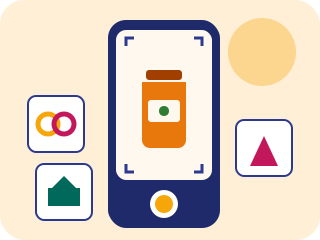
Take the photos
One to three photos, straight from the camera or the gallery. The shelf, the thali, the room — whatever you are selling.
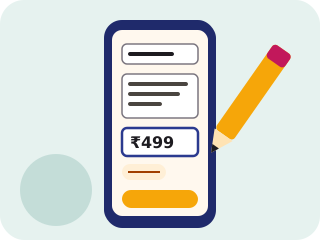
Two lines and a price
What it is, who it is for and what it costs. On offer? Add the old price too — the cloud shows it struck through.

Your reel is ready
A few minutes later the video is on your phone. Watch it, save it to the gallery or post it to Instagram and Facebook in one tap.
What you fill in
- One to three photos — from the camera or the gallery. Each photo becomes one scene.
- A name and two lines — for example “Hand block-printed cotton kurta, light for summer, sizes M to XXL.”
- The price — in rupees with Indian grouping (₹1,299 or ₹1,49,999), pounds or złoty. On offer? Add the old price and the cloud shows it struck through.
- An offer label — “Diwali sale”, “Today's special thali”, “Weekend package” — anything you like.
- The corner for the price cloud — so it does not cover the product.
- Video length — 10, 15, 30 or 60 seconds. For Reels, 10–15 seconds works best.
- Voiceover language — any of the 25 languages, or switch the voice off for music only.
What happens on the server
- The photos go to private storage, and hidden details such as GPS location are removed.
- The photos and your text are moderated. Things that cannot be advertised are rejected — see the acceptable use policy.
- AI writes a short script from your two lines and turns each photo into a scene with gentle motion.
- A voiceover is generated in the language you chose, music goes underneath and the price cloud goes in the corner.
- The finished video is checked once more and then appears on your phone.
A 10-second reel is usually ready in a few minutes. Longer videos take more time, and the app tells you roughly when yours will be ready.
How to post it
- Instagram Reels and Facebook Page — connect your Facebook Page and its linked Instagram professional account once. After that every video goes to both in one tap.
- WhatsApp — save the video to your gallery and share it to your Status, a customer group or a broadcast list.
- AI disclosure — the voice and scenes are AI-generated, so posts on Meta carry the “AI info” label.
Questions? Write to us.