 AdFlow
For shops, dhabas, cafés and guest houses
Three photos in, a promo reel out — in minutes
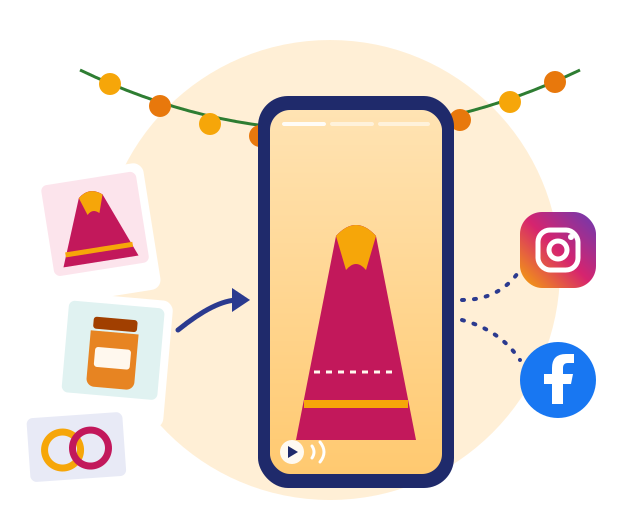
Snap your product, write two lines and set the price. AdFlow turns it into a moving video with a price cloud in the corner and a voiceover in your language, then posts it to Instagram Reels and your Facebook Page in one tap.
Android, on Google Play
See how it works →- One reel a week free, no card needed
- Sign in with Google, no new password
- 10 to 60 second videos in the 9:16 Reels format
- Voiceover in 25 languages, Hindi included
Three steps, that's all
No editing software to learn, no videographer to book.
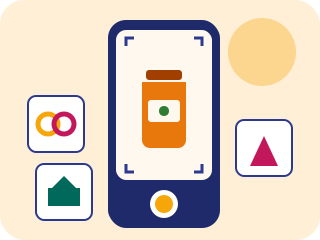
Take the photos
One to three photos, straight from the camera or the gallery. The shelf, the thali, the room — whatever you are selling.
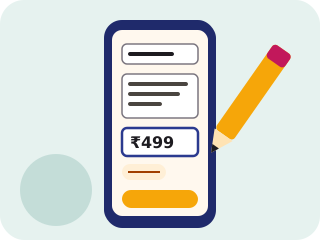
Two lines and a price
What it is, who it is for and what it costs. On offer? Add the old price too — the cloud shows it struck through.

Your reel is ready
A few minutes later the video is on your phone. Watch it, save it to the gallery or post it to Instagram and Facebook in one tap.
Who it is for
People who meet customers every day but never have time to make a video.

Kirana stores, boutiques and mobile shops
New stock, a festive sale or last season's lot to clear — make the reel the same day.
Read the post →
Restaurants, dhabas and cafés
Tell people what is cooking before lunch. A photo of the thali, the price, two lines — done.
Read the post →
Hotels and guest houses
The room, the breakfast table and the view from the window — your seasonal offer in one reel.
Read the post →
The price cloud
A white cloud sits in a corner of the video: the offer name on top, a large clear price in the middle and the old price struck through underneath. You choose the corner so the product stays visible. Rupee prices use Indian digit grouping — ₹1,49,999, not ₹149,999.

A voice in your language
The voiceover and caption are written in the language you pick: all 22 languages of the Eighth Schedule of the Indian Constitution, plus English, Welsh and Polish.
- हिन्दी
- English
- Cymraeg
- Polski
- বাংলা
- मराठी
- తెలుగు
- தமிழ்
- ગુજરાતી
- اردو
- ಕನ್ನಡ
- ଓଡ଼ିଆ
- മലയാളം
- ਪੰਜਾਬੀ
- অসমীয়া
- मैथिली
- ᱥᱟᱱᱛᱟᱲᱤ
- کٲشُر
- नेपाली
- कोंकणी
- سنڌي
- डोगरी
- ꯃꯤꯇꯩꯂꯣꯟ
- बड़ो
- संस्कृतम्
Frequently asked questions
How much does it cost?
One reel a week (up to 10 seconds) is free. For more, the Dukaan plan is ₹299 or £7.99 a month (3 reels a week) and Business is ₹799 or £19.99 a month (10 a week), tax included, with 2 months free on yearly billing. Cancel any time.
How long does one video take?
A 10-second reel is usually ready in a few minutes. 30- and 60-second videos take longer, and at busy times there may be a short queue — the app shows roughly when your video will be ready, and you can use your phone in the meantime.
Are my photos safe? Can someone make a video of something harmful?
Photos go to a private, locked storage area and cannot be opened through any link until they pass checks. Hidden details such as GPS location are removed from the photos. Both the photos and the text are moderated — sexual, violent or hateful content is rejected — and the finished video is checked again before it can be published.
Is the voice a real person?
No. The voiceover is generated by AI, and the footage is generated by AI from your photos. We say so openly: posts to Instagram and Facebook carry Meta's “AI info” label. You can switch the voiceover off for a music-only video.
How do I share it on WhatsApp?
Save the finished video to your gallery and send it to your WhatsApp Status, customer group or broadcast list like any other video. Instagram Reels and Facebook Page posting is built into the app.
How do I sign in?
With your Google account — no extra password. You only connect a Facebook Page and Instagram account if you want the app to post there for you.
Make the reel for your next sale today
Install the app, sign in with Google and take the first photo.
Android, on Google Play